
Why color laser beats ink for small teams
For small business owners, the choice between inkjet and color laser often comes down to one question: what happens when you need a marketing flyer tomorrow morning? Inkjet printers may have lower upfront costs, but they are prone to dried-out cartridges and inconsistent color output, especially if the printer sits idle for weeks. Color laser printers, by contrast, use toner powder that never dries out. This reliability means your team can print a single page today and a hundred pages next month without worrying about maintenance headaches or wasted ink.
The real advantage of color laser technology lies in the total cost of ownership. While the initial purchase price of a color laser printer is typically higher than an equivalent inkjet, the cost per page drops significantly. According to industry data, toner cartridges yield many more pages than ink cartridges, and the cost to print each page is often a fraction of what ink costs. Over two years, this difference adds up, making color laser a more economical choice for teams that print regularly.
Reliability and speed are also critical for small teams. Color laser printers warm up quickly and produce sharp, professional-quality text and graphics immediately. This consistency is essential for client-facing documents, proposals, and reports where appearance reflects on your brand. By choosing a color laser printer, you are investing in a tool that keeps your business moving forward without the frustration of jammed inkjets or dried-out nozzles.
How we picked these budget picks
Finding a color laser printer that balances upfront cost with long-term reliability requires looking beyond the sticker price. For small businesses, "affordable" means a device that handles daily office tasks without demanding constant maintenance or expensive toner replacements. We evaluated models based on practical durability, connectivity, and total cost of ownership rather than raw speed alone.
Our selection process focused on three core criteria. First, wireless connectivity is non-negotiable; every candidate supports Wi-Fi and mobile printing so employees can print from laptops and phones without tangled cables. Second, automatic duplex printing is included in all picks. Double-sided printing saves paper and reduces clutter, which is essential for lean office spaces.
Finally, we prioritized duty cycle and component longevity. Small businesses need printers that can handle 1,000 to 2,000 pages a month without overheating or failing. We excluded models with known high failure rates or those requiring proprietary, hard-to-find parts. The goal is to find machines that work consistently for years, not just months. The products below meet these standards, offering professional color output at a price point that respects your bottom line.
Brother HL-L3280CDW: The Small Business Workhorse
For small businesses that need to produce professional reports, marketing flyers, and client proposals without breaking the bank, the Brother HL-L3280CDW stands out as the best overall affordable color laser printer. It strikes a rare balance between low upfront cost and reliable, high-volume performance, making it a staple in many home offices and startup environments.
This printer is built for consistency. Unlike inkjet models that can dry out or clog if left idle, the HL-L3280CDW uses toner cartridges that last for months of typical small business use. The print quality is sharp and vibrant, ensuring that color graphics and text look crisp on standard copy paper or slightly heavier stock. For teams that print color documents infrequently but need them to look polished when they do, this reliability is a significant advantage.
Connectivity is straightforward and robust. The HL-L3280CDW includes built-in Wi-Fi and Ethernet, allowing multiple devices on the network to send jobs seamlessly. The mobile printing capabilities support Apple AirPrint and Google Cloud Print, which is essential for small teams working remotely or on the go. The control panel is intuitive, with a simple interface that minimizes setup time and troubleshooting headaches.
While it lacks some of the advanced features found in higher-end enterprise models, such as a large touchscreen or automatic duplexing for two-sided printing, it compensates with durability and ease of use. It is a no-nonsense machine that focuses on doing the core job—printing color documents quickly and accurately—without unnecessary complexity or cost.


As an Amazon Associate, we may earn from qualifying purchases.
Best Compact Option for Tight Spaces
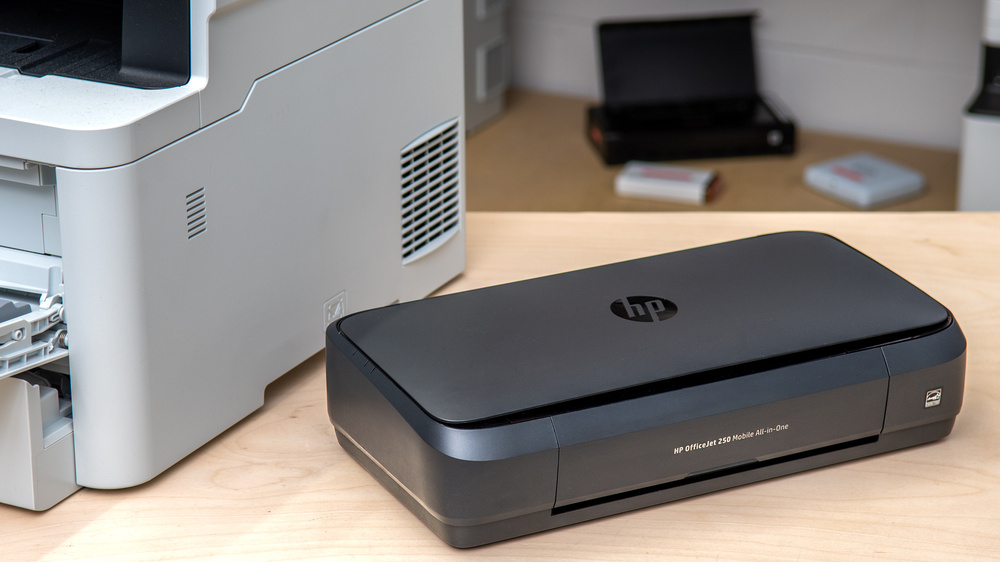
Small offices often lack the square footage for bulky equipment. When desk space is at a premium, a compact color laser printer becomes a necessity rather than a luxury. These models prioritize a small footprint without sacrificing the speed and durability required for small business operations.
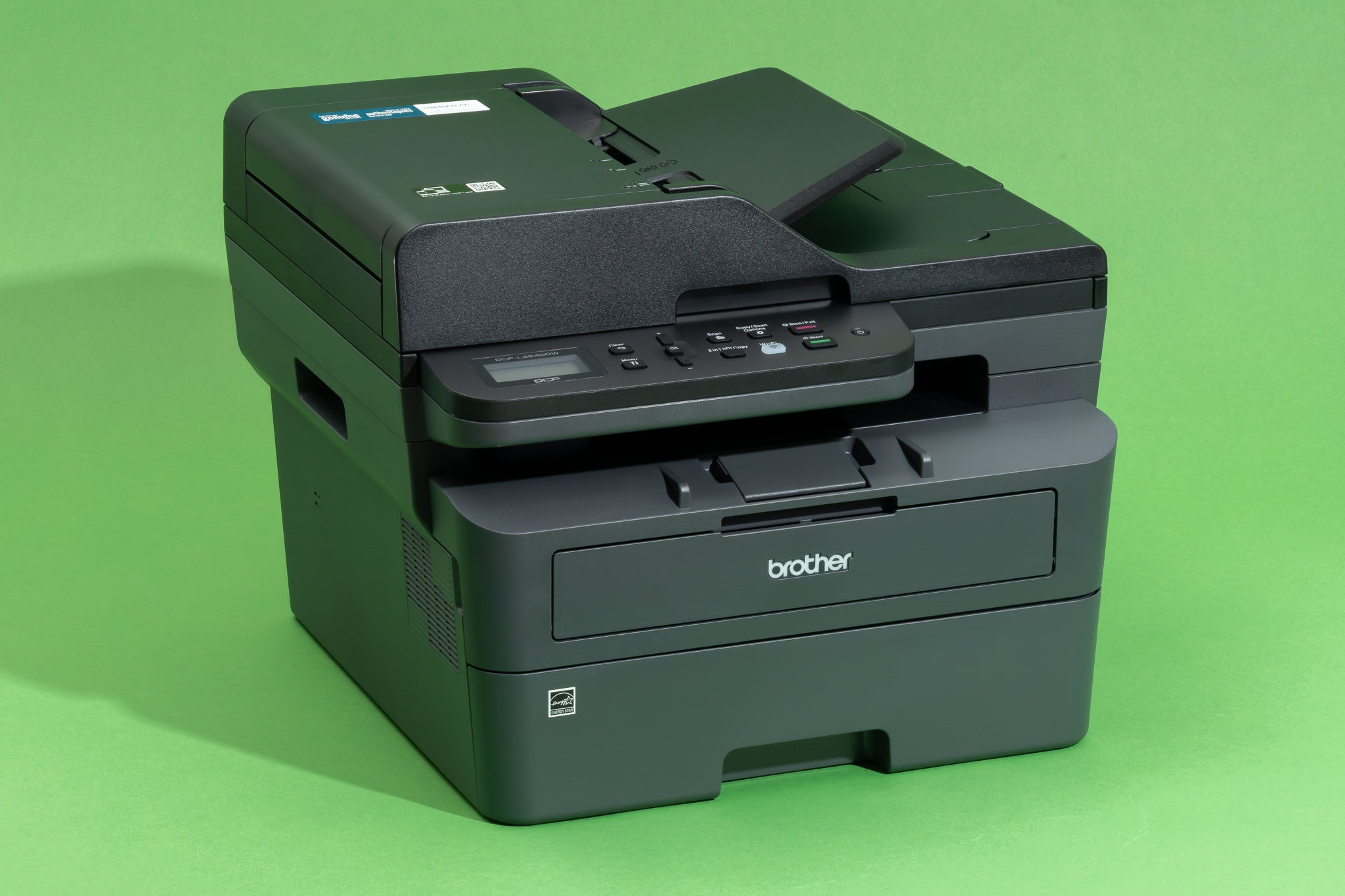
The Brother DCP-L2640DW is a strong contender in this category, though it is primarily a monochrome model. For true color needs in tight quarters, look for models that balance width and depth. These printers fit neatly on standard desks or small shelves, keeping your workflow organized and efficient.
When evaluating compact options, check the paper tray capacity. Smaller printers often have smaller trays, which means more frequent refilling. However, for low-volume small business tasks, this is a manageable trade-off for the space savings.


As an Amazon Associate, we may earn from qualifying purchases.
Compare Key Features and Costs
Choosing an affordable color laser printer for your small business means balancing upfront cost with long-term running expenses. The models below represent the most reliable options for offices that need to print marketing materials, invoices, and reports without breaking the budget. We have compared their print speeds, connectivity options, and estimated cost-per-page to help you find the right fit.
| Model | Speed (ppm) | Connectivity | Est. Cost/Page |
|---|---|---|---|
| Brother HL-L3280CDW | 22 | Wi-Fi, Ethernet | ~1.5¢ |
| HP Color LaserJet Pro MFP M283fdw | 19 | Wi-Fi, Ethernet | ~2.0¢ |
| Xerox B225/DNI | 22 | Wi-Fi, Ethernet | ~1.8¢ |
| Canon Color imageCLASS MF656Cdw | 21 | Wi-Fi, Ethernet | ~1.9¢ |
Print speed is measured in pages per minute (ppm) for standard text documents. For small teams, a speed of 20 ppm or higher ensures that the printer doesn't become a bottleneck during busy periods. Connectivity is standard across these models, with both Wi-Fi and Ethernet ports allowing flexible placement in your office network.
The estimated cost-per-page (CPP) is a critical factor for small businesses. While inkjet printers have low upfront costs, their ink cartridges deplete quickly and are expensive to replace. Color laser toner cartridges last longer and generally offer a lower cost per page, making them more economical for high-volume printing over time. These figures are based on standard toner yields and can vary depending on print coverage.


As an Amazon Associate, we may earn from qualifying purchases.
Setup tips for easy network integration
Getting an affordable color laser printer onto your small business network doesn't have to be a headache. The goal is to move from unboxing to printing without calling IT support. Most modern models support standard protocols like WPA2/WPA3 security and AirPrint, which simplifies the process for both Windows and Mac users.
Before installing drivers, connect the printer to your Wi-Fi. Use the printer’s control panel or a web interface to join your business network. Ensure you are using a strong password and WPA2 encryption to keep your documents safe from unauthorized access.
Avoid using generic drivers. Download the specific driver package from the manufacturer’s website for each computer that will print. This ensures full feature support, including duplex printing and color calibration, which is critical for professional small business materials.
Configure mobile printing protocols like AirPrint or Mopria. This allows employees to print from phones or tablets without installing additional software. Verify that the printer appears in the list of available devices on iOS and Android platforms.
Once the network is stable, you can focus on workflow efficiency. Affordable color laser printers often include web-based management tools that let you monitor toner levels and paper status remotely. This proactive approach prevents mid-job interruptions, keeping your small business operations running smoothly.
Frequently asked questions about color laser printers
How much does toner cost for small businesses?
Color laser toner cartridges are generally more expensive than inkjet alternatives, but they offer a lower cost per page for text documents. For small businesses, managing these costs starts with choosing models that support high-yield cartridges. While monochrome printing remains the most economical option, color toner prices vary significantly by brand and page yield. Always check the cost per page (CPP) rather than just the upfront cartridge price to understand the true long-term expense.
Do color laser printers require frequent maintenance?
Color laser printers are known for their durability and low maintenance requirements compared to inkjet models. Since they use dry toner powder, there is no risk of ink drying out or printheads clogging during periods of low use. However, small business users should still perform regular cleaning cycles and replace worn parts like fusers or drums according to the manufacturer's schedule. This reliability makes them ideal for offices that print sporadically or in high volumes.
Are color laser printers accurate for marketing materials?
Modern color laser printers provide excellent color accuracy and consistency, making them suitable for internal reports, brochures, and marketing collateral. While they may not match the photo-realistic quality of high-end inkjet photo printers, they are more than capable of producing professional-grade color documents. The toner bonds permanently to the paper, ensuring that printed materials are smudge-resistant and long-lasting, which is crucial for client-facing materials.
No comments yet. Be the first to share your thoughts!