

Why color laser makes sense now
Small businesses need color printing for marketing and client decks. It isn't a luxury. While black and white works for invoices, a color proposal usually looks better and helps you stay competitive.
While inkjet printers used to be the go-to for affordability, laser printers have steadily become a smarter choice for many businesses. They are generally faster, particularly for text-heavy documents, and the cost per page is typically lower. Laser prints are also much more durable – resistant to smudging and fading, which is important for reports or anything that needs to be archived.
Color laser printers used to be expensive. Now, you can find reliable models for under $300 that handle high volumes without the maintenance headaches of older machines.
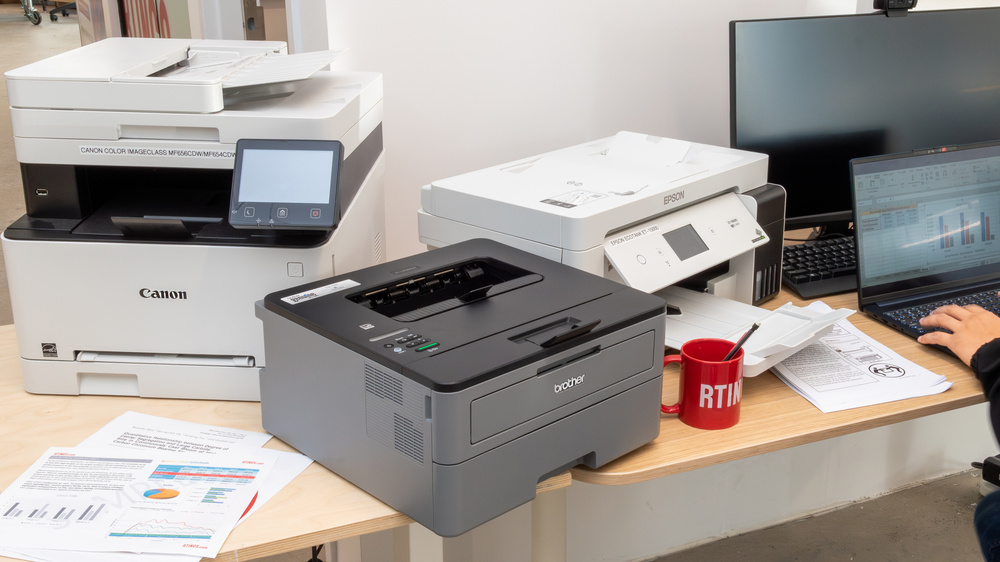
Top picks under $300
Finding a reliable color laser printer for under $300 requires careful research. Prices fluctuate, so the numbers I’m sharing are current as of late 2026 based on data from Amazon and Best Buy, but always double-check before you buy. I’ve focused on printers that consistently earn positive reviews for print quality and, crucially, reliability. A cheap printer that constantly breaks down isn’t a bargain.
The HP Color LaserJet Pro M154dw consistently appears near the top of lists. It’s typically available for around $250 and boasts a print speed of 18 pages per minute. This isn’t blazing fast, but it's more than adequate for most small office needs. It offers Wi-Fi connectivity, making it easy to print from laptops, tablets, and smartphones. The 1200 x 600 dpi resolution produces clear text and decent graphics. The downside? Toner can be a bit pricey, which we’ll discuss later.
Another strong contender is the Brother HL-L3270CDW. This model is often priced around $280. It offers similar print speeds to the HP (around 19 ppm) and a comparable resolution. Brother printers are known for their build quality and longevity. What I like about this one is its duplex printing capability – automatically printing on both sides of the paper, saving you money. It also has a user-friendly touchscreen display.
The Canon imageCLASS Color MF634Cdw is a bit of a standout because it’s an all-in-one – it prints, scans, copies, and faxes. It usually goes for around $290. While the print speed is a little slower (around 14 ppm), the added functionality can be invaluable for a small business. The 600 x 600 dpi resolution is acceptable, but don't expect professional-quality photo prints. The scanner is a real bonus.
If you’re looking for something a little more compact, the Lexmark CS310dn is worth considering. It's typically available for around $220. It's a printer-only model, so no scanning or copying, but it’s a solid performer for basic printing needs. Print speed is 25 ppm, which is quite good for the price. It lacks Wi-Fi, requiring a wired network connection, which might be a dealbreaker for some.
The Epson WorkForce WF-C5790 is a unique offering, utilizing cartridge-free printing. While technically not a laser printer, it's included here because it competes in the same price range and offers low running costs. It’s typically around $270. It uses refillable ink tanks instead of cartridges, which significantly reduces toner expenses. Print quality is good, but it’s slower than traditional laser printers (around 11 ppm).
Finally, the Xerox VersaLink C170 is a solid choice around $260. It's a reliable workhorse that delivers consistent print quality and decent speed (around 18 ppm). Xerox has a long history in the printing industry, and their printers are generally known for their durability. The biggest drawback is the somewhat basic interface.
- Remove entire list
- Brother HL-L3270CDW: $280, 19 ppm, 2400 x 600 dpi, Wi-Fi, Duplex Printing
- Canon imageCLASS Color MF634Cdw: $290, 14 ppm, 600 x 600 dpi, Wi-Fi, All-in-One
- Lexmark CS310dn: $220, 25 ppm, 600 x 600 dpi, Wired Network Only
- Epson WorkForce WF-C5790: $270, 11 ppm, Cartridge-Free Printing
- Xerox VersaLink C170: $260, 18 ppm, 600 x 600 dpi, Wi-Fi
Featured Products

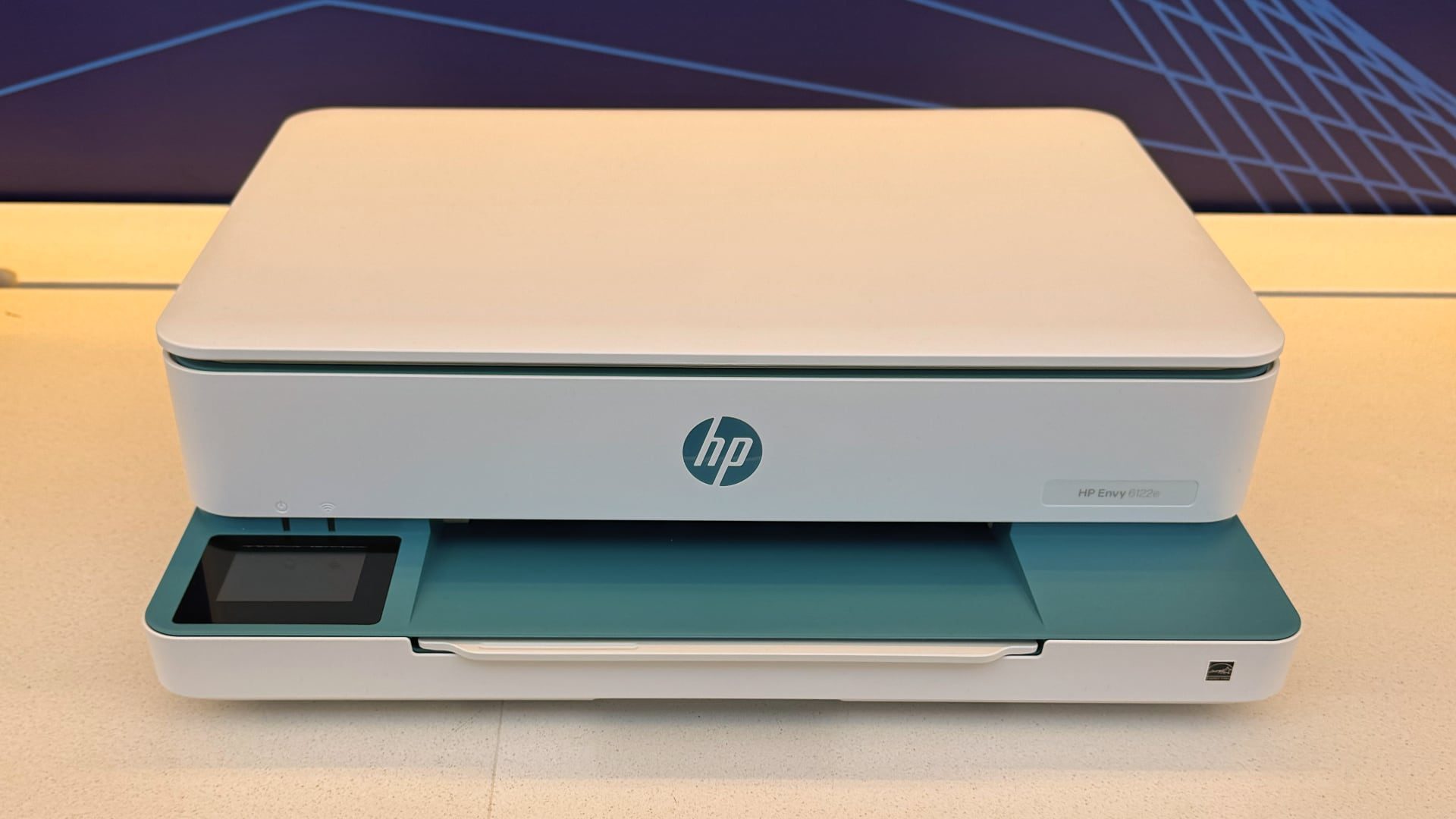
Compact digital color printer · Wireless connectivity · Laser printer quality results
This printer offers reliable laser quality in a compact design with wireless capabilities, making it a solid choice for small businesses.
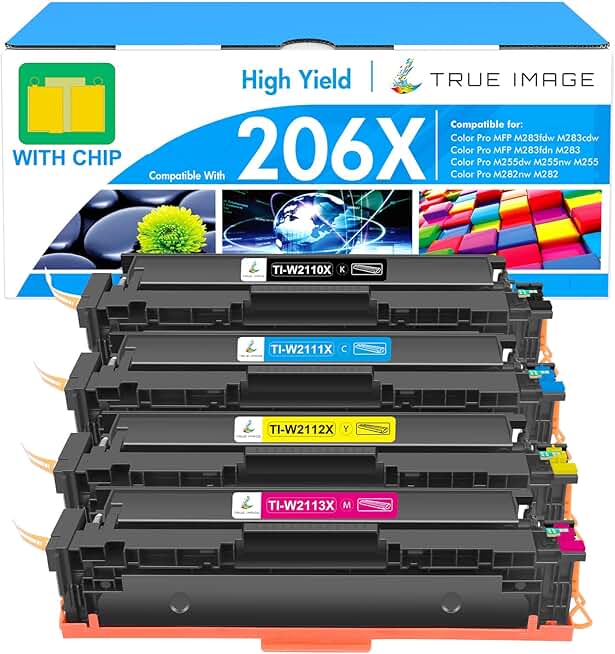
High yield toner cartridges · Compatible with specific HP Color LaserJet Pro models · Includes Black, Cyan, Yellow, and Magenta cartridges
These high-yield toner cartridges provide a cost-effective solution for maintaining color printing needs for compatible HP printers.

All-in-One functionality (print, copy, scan, fax) · Wireless and mobile-ready printing · NFC and duplex printing capabilities
This versatile all-in-one printer offers advanced features like NFC and mobile printing, backed by a substantial warranty, ideal for growing businesses.

Color laser printing · Print speeds of 26 ppm (mono and color) · Automatic duplex printing
With fast print speeds and automatic duplexing, this Lexmark laser printer delivers efficient color printing and connectivity for small business environments.

Compatible toner cartridges · Designed for specific Pantum printer models · Includes two black toner cartridges
This affordable two-pack of black toner cartridges ensures continued operation for compatible Pantum printers, offering a budget-friendly replacement option.
As an Amazon Associate I earn from qualifying purchases. Prices may vary.
Connectivity and setup
In a small business, time is money. A printer that’s difficult to set up or connect is a productivity killer. Wireless connectivity – specifically Wi-Fi – is almost non-negotiable these days. It allows you to print from any device on your network without being tethered by cables.
Features like Apple AirPrint and Google Cloud Print are incredibly useful. AirPrint lets you print directly from iPhones and iPads without installing any drivers. Google Cloud Print works similarly for Android devices and Chrome OS. These technologies simplify printing immensely. The Brother HL-L3270CDW and the Canon imageCLASS Color MF634Cdw both excel in this area, offering seamless mobile printing.
I’m not a fan of printers with overly complicated control panels. A simple, intuitive interface is key. The HP Color LaserJet Pro M154dw has a well-designed control panel that’s easy to navigate. Mobile app functionality is also a plus. The Brother iPrint&Scan app, for example, allows you to monitor printer status and manage print jobs from your smartphone.
Running Costs: Beyond the Price Tag
The initial purchase price of a printer is only part of the equation. You also need to factor in the ongoing cost of consumables – primarily toner cartridges and, in some cases, drum units. Toner cartridges can be expensive, and the cost adds up quickly.
Standard yield cartridges are cheaper upfront but need to be replaced more frequently. High yield cartridges cost more initially but offer a lower cost per page. For example, a standard yield toner cartridge for the HP Color LaserJet Pro M154dw might print around 700 pages, while a high yield cartridge can print around 2,800 pages. Doing the math is crucial.
Estimated cost per page varies depending on the printer and toner cartridge used. For the HP Color LaserJet Pro M154dw, the cost per page can be around $0.03 to $0.05 using a high yield cartridge. The Brother HL-L3270CDW offers a slightly lower cost per page, around $0.025 to $0.04. The Epson WorkForce WF-C5790, with its refillable tanks, can achieve a cost per page as low as $0.01.
You can often find compatible third-party toner cartridges for lower prices. However, be cautious about quality. Cheaper cartridges may not produce the same print quality as genuine cartridges and could even damage your printer. Read reviews carefully before purchasing third-party toner.
- HP Color LaserJet Pro M154dw: $0.03 - $0.05 per page (high yield)
- Brother HL-L3270CDW: $0.025 - $0.04 per page
- Epson WorkForce WF-C5790: Approximately $0.01 per page
Print quality expectations
Let's be realistic: you're not going to get professional-grade photo prints from a $300 color laser printer. However, for most business applications – marketing materials, internal reports, presentations – the print quality is more than adequate. Resolution is a factor, but so is the quality of the paper you use.
Printers with a resolution of 1200 x 600 dpi or higher will generally produce sharper text and more detailed graphics. The Brother HL-L3270CDW, with its 2400 x 600 dpi resolution, delivers particularly crisp prints. However, even a 600 x 600 dpi printer can produce acceptable results if you use high-quality paper.
These printers excel at producing clear, readable text documents and vibrant color graphics for presentations and marketing collateral. Don't expect gallery-quality photos, but they’re perfectly capable of printing images that look good enough for internal use. Experiment with different paper types to optimize print quality.
Standout Features & Hidden Gems
While all the printers listed above are solid choices, a few stand out for their unique features. The Epson WorkForce WF-C5790 is a game-changer if you print frequently. The cartridge-free system dramatically lowers running costs, making it a long-term investment. It's not the fastest, but the savings are significant.
The Canon imageCLASS Color MF634Cdw is a standout because of its all-in-one functionality. Having a built-in scanner, copier, and fax machine can save you space and money, especially if you don’t already have those devices. It’s a convenient solution for small businesses with diverse needs.
Finally, the Lexmark CS310dn, despite lacking Wi-Fi, offers an impressively fast print speed of 25 ppm. If you have a wired network and prioritize speed over wireless convenience, this printer is a strong contender. Its compact size is also a plus for smaller workspaces.
Troubleshooting Common Issues
Even the most reliable printers can experience occasional problems. Paper jams are a common issue. Always check for crumpled or misaligned paper and ensure the paper tray is properly loaded. If a jam persists, consult the printer’s manual for specific instructions.
Connectivity issues can also be frustrating. Make sure the printer is properly connected to your network and that the correct drivers are installed on your computer. Restarting the printer and your computer can often resolve connectivity problems. Check the printer’s IP address and ensure it’s configured correctly.
Poor print quality can be caused by a variety of factors, including low toner levels, incorrect paper type, or clogged print heads. Replace the toner cartridge if it’s low. Experiment with different paper types to see if that improves print quality. If the problem persists, run the printer’s built-in cleaning utility. For more complex issues, consult the manufacturer’s support resources – HP, Brother, Canon, Lexmark, and Epson all offer extensive online support and troubleshooting guides.
- HP Support:
- Brother Support:
- Canon Support:
- Lexmark Support:
- Epson Support:
No comments yet. Be the first to share your thoughts!