

Color laser printers: a 2026 reality check
In 2026, a color laser printer isn't a luxury for most small businesses—it’s a necessity. We’ve moved beyond simply needing to print documents. Consistent branding on everything from client proposals to internal reports builds trust and appears professional. Color printing elevates those materials. It’s about making a statement, even on everyday paperwork.
Inkjet printers, once the go-to for home and small office use, are increasingly falling behind for business needs. The cost per page is often higher with inkjet, and the quality just doesn't match laser, especially for text-heavy documents or frequent printing. Laser printers offer speed, durability, and a professional finish that inkjet struggles to deliver.
A $500 budget requires some realism. You aren't going to get high-volume paper trays or lightning speeds at this price. I've focused on models that handle the basics well. You'll likely trade off some speed for better color accuracy, but these machines are reliable enough for a small office.
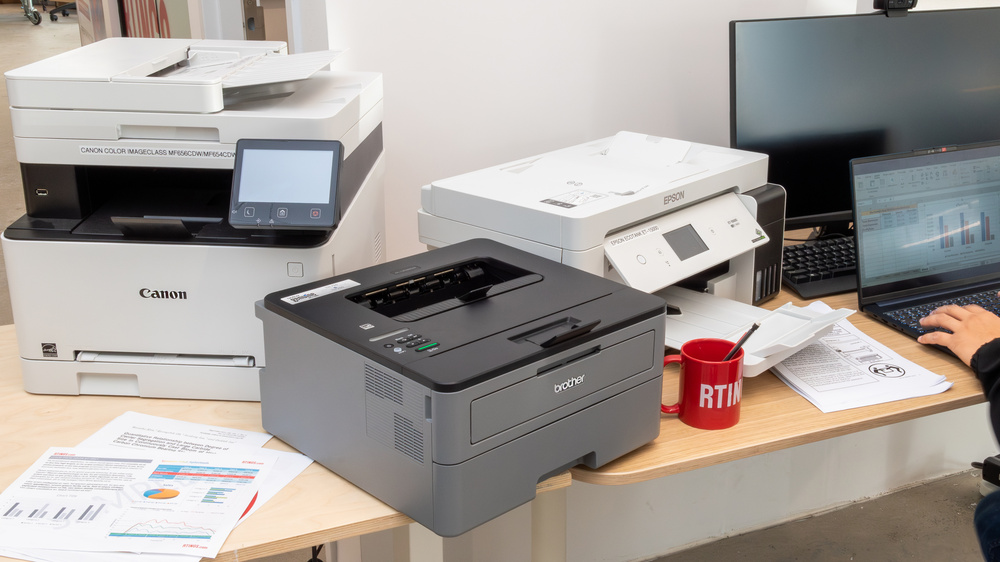
What $500 gets you
When shopping for an affordable color laser printer, understanding what you’ll get for your money is key. Print speed typically ranges from 18 to 25 pages per minute (PPM) in this price bracket. Resolution is usually around 600 x 600 DPI, which is perfectly adequate for most business documents, though not ideal for professional photography.
Paper handling capacity is another area where you might see limitations. Many models will have a standard tray holding around 250 sheets, with a manual feed slot for specialty papers. Connectivity will generally include USB and Wi-Fi, but Ethernet might be absent on some of the lower-priced options. Don’t assume every model will have all the bells and whistles.
Automatic two-sided printing is the one feature I wouldn't skip. It cuts paper costs in half immediately. If you have to choose between a slightly faster print speed or duplexing, take the duplexing.
The best printers under $500
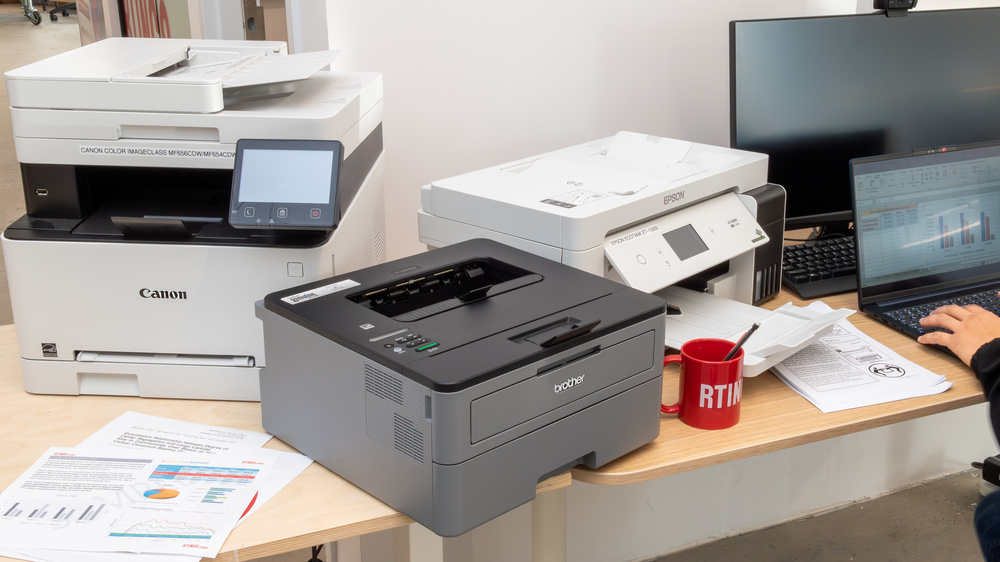
Finding the best color laser printer under $500 in 2026 requires balancing features, price, and reliability. Based on current listings from Best Buy and Amazon, here are a few models that consistently stand out. Prices fluctuate, so these are estimates as of late 2026.
HP Color LaserJet MFP 178nw: This is a popular all-in-one option, offering printing, scanning, and copying. It boasts print speeds of up to 18 ppm and a monthly duty cycle of 800 pages. It has Wi-Fi connectivity and supports mobile printing via HP Smart App. As of November 2026, it’s typically found for around $279 on Amazon. The downside is its relatively small paper capacity.
Brother HL-L3270CDW: Brother consistently delivers reliable printers, and the HL-L3270CDW is no exception. It prints up to 25 ppm and has a slightly higher paper capacity than the HP, at 250 sheets. It also offers wireless connectivity and mobile printing. You can find it for approximately $349 at Best Buy. Some users report the toner cartridges are a bit pricey.
Canon imageCLASS Color MF635Cdw: Canon's offering provides a good balance of features and price. It boasts print speeds of up to 28 ppm and includes scanning, copying, and faxing capabilities. It also supports mobile printing and has Wi-Fi connectivity. Current pricing on Amazon is around $399. The user interface isn't as intuitive as some other models.
Lexmark CS317dw: Lexmark is often overlooked, but the CS317dw is a solid performer. It prints up to 25 ppm and offers wireless connectivity and mobile printing. It’s usually available for around $299 at Best Buy. The color accuracy isn’t quite as vibrant as some of the other printers on this list.
Samsung SL-C306W: (Note: Samsung has largely exited the printer market, so availability may be limited). If you can find one, the SL-C306W is a decent budget option. It prints up to 18 ppm and offers wireless connectivity. It's often found for around $249 on Amazon, but support may be an issue. Consider this only if you’re comfortable with potential long-term support challenges.
Epson WorkForce Pro WF-C5790: While technically an inkjet, Epson’s WorkForce Pro models use precision core technology that rivals laser quality and is often priced competitively. It prints at 28 ppm, has a large paper capacity, and includes scanning and copying. You can find it for around $449 on Amazon. This is a good option if you need the speed and quality of a laser but are open to an advanced inkjet solution.
Featured Products

Laser-quality color output · Automatic duplex (2-sided) printing · Wireless and Ethernet connectivity
Offers reliable color laser printing with essential features like duplex printing and mobile connectivity in a compact form factor, ideal for space-conscious small businesses.
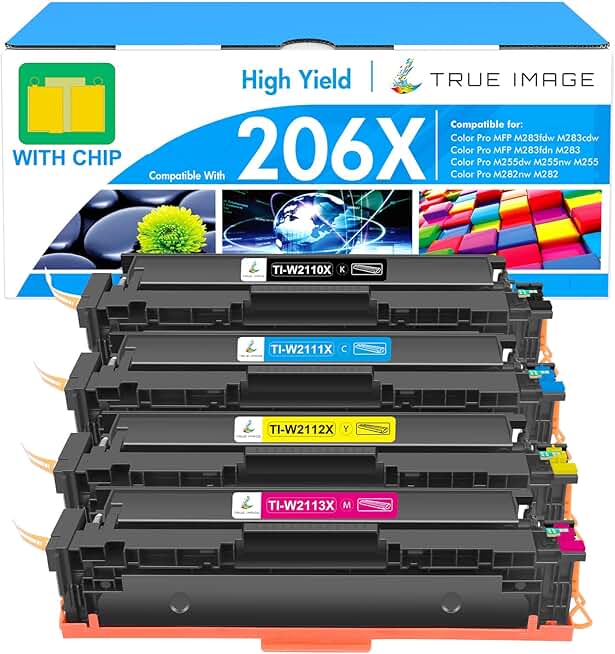
High yield for extended use · Includes Black, Cyan, Magenta, and Yellow cartridges · Compatible with specific HP Color LaserJet Pro MFP models
A budget-friendly way to ensure you have replacement toner on hand for compatible HP color laser printers, maximizing print volume without frequent purchases.

All-in-one functionality (print, scan, copy, fax) · Wireless and mobile printing · Automatic duplex (2-sided) printing
While above the $500 threshold, its comprehensive features, robust build, and extended warranty make it a powerful, long-term investment for businesses needing advanced all-in-one capabilities.

Print, scan, copy, and fax · Up to 26 ppm print speed (mono/color) · Automatic duplex (2-sided) printing
Delivers fast and efficient color printing with all-in-one capabilities and automatic duplexing, fitting well within a small business budget for productive document handling.

Print, scan, copy, and fax · Automatic duplex (2-sided) printing · 250-sheet paper capacity
A feature-rich multifunction color laser printer that combines essential office tasks with automatic duplexing and a substantial paper capacity, suitable for busy small business environments.
As an Amazon Associate I earn from qualifying purchases. Prices may vary.
Calculating the real cost
The initial purchase price of a printer is just the beginning. The ongoing cost of toner cartridges and drum units can significantly impact your overall expenses. It’s vital to factor these costs into your budget. Don’t just look at the printer’s price; calculate the total cost of ownership.
"Cost per page" is a useful metric. It estimates the cost of printing a single page, including the cost of toner and other consumables. To calculate it, divide the cost of a toner cartridge by the estimated page yield. For example, a $80 toner cartridge that yields 1,000 pages has a cost per page of $0.08.
Look for high-yield toner options. These cartridges contain more toner and last longer, reducing the frequency of replacements and lowering your cost per page. Compatible cartridges are also available, often at a lower price than OEM (Original Equipment Manufacturer) cartridges. However, be cautious about quality. Some compatible cartridges may not produce the same print quality as OEM cartridges.
Wireless and mobile printing
Wireless printing is a game-changer for small businesses. It eliminates the need for messy cables and allows users to print from anywhere within range of the Wi-Fi network. This flexibility is especially valuable in today’s mobile work environment. Easy setup is a major benefit too.
Most of these machines use Wi-Fi, and some include Bluetooth for direct pairing. You'll want to check for Apple AirPrint or Mopria support so you can print from a phone without installing a dozen different drivers. Avoid anything that still relies on outdated cloud services.
Security is an important consideration with wireless printers. Make sure to secure your Wi-Fi network with a strong password and enable encryption. Some printers offer additional security features, such as user authentication and data encryption.
- Ensure your Wi-Fi network is password-protected.
- Enable encryption (WPA2 or WPA3) on your router.
- Keep your printer’s firmware up to date.
Troubleshooting: Common Printer Headaches
Even the best printers experience occasional problems. Paper jams are a common issue. If this happens, carefully remove the jammed paper, following the manufacturer’s instructions. Avoid using excessive force, as this could damage the printer. Check for any small scraps of paper that might be lodged inside.
Print quality issues, such as streaks or smudges, can often be resolved by cleaning the printer heads. Most printers have a built-in cleaning function. If the problem persists, try replacing the toner cartridge. Connectivity problems can usually be fixed by restarting the printer and your computer.
Error messages can be frustrating. Consult the printer’s manual or the manufacturer’s website for explanations of common error codes. Online support resources and forums can also be helpful. HP and Brother have particularly robust online support communities. Don't hesitate to contact customer support if you're stuck.
No comments yet. Be the first to share your thoughts!