

The shift to color laser
For years, I’ve watched small businesses and home offices get stuck in a cycle with inkjet printers. They’re cheap to buy upfront, but the cost of ink adds up fast. In 2026, that equation has really shifted. Color laser printers have come down in price, and the benefits are just too good to ignore.
Laser printers, unlike inkjet, use toner – a powder – instead of liquid ink. This means sharper text, faster printing speeds, and a significantly lower cost per page. And it’s not just about black and white anymore. Color is becoming essential for everything from marketing materials to internal reports. A professional presentation just lands differently when it’s in color.
The $300 mark is the current sweet spot. You get wireless connectivity and speeds that won't make you wait ten minutes for a slide deck. It's the best move if you're done with smudged ink and $50 cartridges that only print 200 pages.
Specs that actually matter
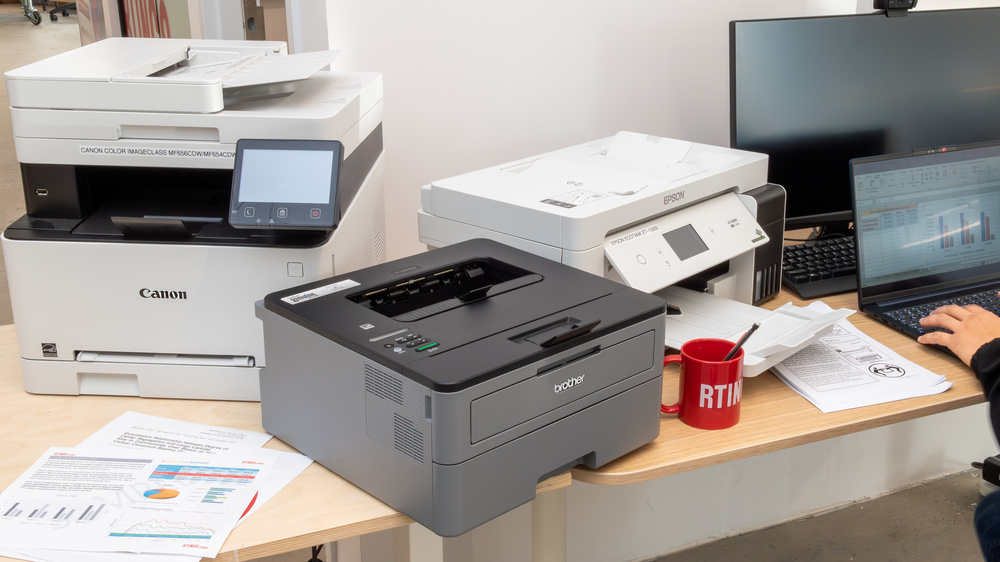
Buying a printer can feel like deciphering a different language. There’s a lot of jargon thrown around, and it’s easy to get overwhelmed. I’m going to break down the key specs you should focus on, and explain them in plain English.
Print speed (ppm), or pages per minute, tells you how quickly the printer can produce documents. Higher ppm is better, especially if you print frequently. Resolution (dpi), or dots per inch, determines the print quality. For everyday documents, 600 dpi is usually sufficient, but 1200 dpi or higher will give you sharper images and text.
Monthly duty cycle is often misunderstood. It’s not how much you should print each month. It’s the maximum number of pages the printer can handle without wearing out prematurely. A higher duty cycle is important if you anticipate heavy use. Connectivity – Wi-Fi, USB, and Ethernet – dictates how you’ll connect the printer to your network. Wireless is the most convenient for most people.
Paper handling includes both capacity (how many sheets the paper tray holds) and supported paper types. Make sure the printer can handle the paper you use regularly. Finally, cost per page is arguably the most important spec. This tells you how much it costs to print each page, including the cost of toner. Lower is better, of course.
- Print Speed (ppm): Pages per minute – how fast it prints.
- Resolution (dpi): Dots per inch – print quality.
- Monthly Duty Cycle: Maximum pages per month for longevity.
- Connectivity: Wi-Fi, USB, Ethernet – how it connects.
- Paper Handling: Capacity and supported types.
- Cost Per Page: How much each printed page costs.
Feature Comparison: Affordable Color Laser Printers
| Print Speed | Resolution | Duty Cycle | Connectivity | Cost Per Page |
|---|---|---|---|---|
| Low | Suitable for light home use and occasional small business needs. | Acceptable for infrequent printing; may struggle with sustained demand. | Basic Wi-Fi options are common. | Potentially higher due to initial printer cost. |
| Medium | Good for small office environments with moderate printing volume. | Capable of handling daily printing tasks without significant slowdown. | Typically includes Wi-Fi, USB, and potentially Ethernet connectivity. | Reasonable, especially with standard-yield cartridges. |
| High | Ideal for high-volume printing and demanding office environments. | Produces sharp, detailed prints for professional documents. | Designed for consistent performance with larger print runs. | Comprehensive connectivity options, including mobile printing support. |
| Low | Standard quality suitable for drafts and internal documents. | Basic wireless setup for convenient printing. | Limited paper handling capacity. | May be higher with frequent cartridge replacements. |
| Medium | Good balance between speed and print quality. | Offers a range of connectivity options for flexible use. | Adequate paper capacity for typical office needs. | Competitive, especially when considering long-term costs. |
| High | Excellent print quality with fine details and vibrant colors. | Advanced connectivity features, including mobile app support. | Large paper capacity for uninterrupted printing. | Optimized for cost-effective printing with high-yield options. |
Illustrative comparison based on the article research brief. Verify current pricing, limits, and product details in the official docs before relying on it.
Top 10 Affordable Color Laser Printers (Under $300 - 2026)
Here are ten color laser printers currently available for under $300 (as of late 2026). Prices can fluctuate, so I’ve included links to both Best Buy and Amazon where available. I’ve also tried to be realistic about the pros and cons of each model.
1. Brother MFC-J4355DW: ($249 at Best Buy, $239 at Amazon) This is a popular all-in-one printer known for its reliability and good print quality. It offers wireless connectivity, duplex printing, and a relatively low cost per page. The downside is that the toner cartridges can be a bit expensive.
2. HP Color LaserJet Pro M154dw: ($279 at Best Buy, $269 at Amazon) HP is a trusted name in printing, and the M154dw delivers solid performance. It’s compact, fast, and produces sharp, vibrant prints. However, the paper capacity is somewhat limited.
3. Canon Color imageCLASS LBP623cdw: ($299 at Best Buy, $289 at Amazon) Canon is known for its image quality, and this printer doesn’t disappoint. It’s a bit bulkier than some other models, but it offers a high monthly duty cycle, making it suitable for heavier use.
4. Lexmark CS310dn: ($229 at Best Buy, $219 at Amazon) The Lexmark CS310dn is a solid choice for basic color printing. It’s affordable and relatively compact. However, it lacks some of the advanced features found in more expensive models.
5. Xerox VersaLink C170: ($259 at Best Buy, $249 at Amazon) Xerox printers are known for their durability, and the VersaLink C170 is no exception. It offers good print quality and a competitive cost per page. It’s a bit slower than some other models.
6. Samsung SL-C306W: ($199 at Best Buy, $189 at Amazon) A very budget-friendly option, the Samsung SL-C306W is a good choice for light-duty printing. It’s compact and easy to use, but the print quality isn’t as high as some other models.
7. Kyocera TASKalfa 165cs: ($289 at Best Buy, $279 at Amazon) Kyocera is a less well-known brand, but their printers are known for their reliability. The TASKalfa 165cs offers a good balance of features and price.
8. OKI MC363dn: ($299 at Best Buy, $289 at Amazon) The OKI MC363dn is an all-in-one printer with a focus on color accuracy. It’s a good choice for graphic designers or anyone who needs to print high-quality images.
9. Ricoh SP C260SFn: ($269 at Best Buy, $259 at Amazon) Ricoh printers are known for their energy efficiency, and the SP C260SFn is no exception. It’s a good choice for environmentally conscious businesses.
10. Konica Minolta Bizhub C227: ($299 at Best Buy, $289 at Amazon) The Konica Minolta Bizhub C227 is a robust printer designed for medium-sized workgroups. It boasts a high paper capacity and fast print speeds, but it's on the larger side.
- 1. Brother HL-L3210CW: ($249) This is a true entry-level laser. It's quiet and reliable, though it lacks an auto-document feeder for scanning.
- HP Color LaserJet Pro M154dw: Compact, fast, vibrant prints. Limited paper capacity.
- Canon Color imageCLASS LBP623cdw: High image quality, high duty cycle. Bulky.
- Lexmark CS310dn: Affordable, compact. Lacks advanced features.
- Xerox VersaLink C170: Durable, good cost per page. Slower print speed.
- Samsung SL-C306W: Very budget-friendly. Lower print quality.
- Kyocera TASKalfa 165cs: Reliable, good value. Less well-known brand.
- OKI MC363dn: Accurate color reproduction. Good for graphics.
- Ricoh SP C260SFn: Energy efficient. Good for eco-conscious businesses.
- Konica Minolta Bizhub C227: High capacity, fast print speeds. Large size.
Featured Products

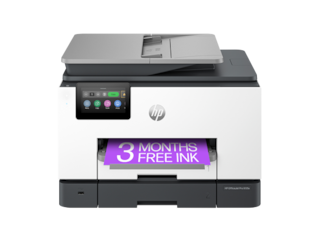
Wireless and Ethernet connectivity · Automatic duplex (two-sided) printing · Mobile printing capabilities
This printer offers laser-quality color prints, duplexing, and mobile connectivity in a compact form factor, making it a solid choice for small offices needing reliable color output.

Multifunction: Print, Scan, Copy, Fax · Automatic duplex printing · Wireless and Ethernet connectivity
This renewed multifunction printer provides comprehensive office capabilities including color printing, scanning, copying, and faxing, with the convenience of automatic duplexing and wireless connectivity.

All-in-One functionality: Print, Scan, Copy · Wireless and NFC connectivity · Automatic duplex printing
This advanced all-in-one laser printer delivers high-quality color prints and offers robust features like wireless, NFC, and automatic duplexing, backed by a substantial warranty for peace of mind.

Automatic duplex printing · Wireless LAN connectivity · Fast print speeds (26 ppm mono/color)
With fast print speeds for both monochrome and color, automatic duplexing, and wireless capabilities, this Lexmark printer is a capable and efficient option for color laser printing needs.

4-in-1 functionality: Print, Copy, Scan, Fax · Wireless touchscreen interface · High print speed (40 ppm)
This Pantum printer is a powerful 4-in-1 solution featuring a touchscreen, high print speeds, and auto duplexing, making it suitable for busy small businesses requiring versatile document handling.
As an Amazon Associate I earn from qualifying purchases. Prices may vary.
My top three picks
From the list above, three printers really stand out to me. The Brother MFC-J4355DW is an excellent all-rounder. It strikes a good balance between price, performance, and features. It’s a great choice for most small businesses.
If speed is your top priority, the HP Color LaserJet Pro M154dw is the way to go. It consistently delivers fast print speeds without sacrificing print quality. It’s ideal for offices that need to churn out a lot of documents quickly.
For those looking for an eco-friendly option, the Ricoh SP C260SFn is a solid choice. It’s Energy Star certified and designed to minimize energy consumption. Plus, Ricoh is committed to sustainability.
Wireless Setup and Common Issues
Wireless setup is usually just a matter of following the on-screen wizard and typing in your Wi-Fi password. Most brands follow the same logic, though HP's interface is generally the most intuitive for mobile users.
However, things can go wrong. Paper jams are the most common issue. Carefully remove the jammed paper, making sure not to tear it. Connectivity problems can be frustrating. Make sure the printer is within range of your router and that the Wi-Fi password is correct. Restarting both the printer and router can often resolve the issue.
Poor print quality can be caused by low toner, incorrect printer settings, or a dirty print head. Try replacing the toner cartridge or running the printer’s cleaning cycle. Driver installation can also be a headache. Always download the latest drivers from the manufacturer’s website. Don’t rely on the drivers that come with the printer, as they may be outdated.
- Wireless Setup: Use the printer's Wi-Fi wizard. Enter your network password.
- Paper Jams: Carefully remove jammed paper.
- Connectivity Issues: Check range, password, and restart devices.
- Poor Print Quality: Replace toner, clean print head, check settings.
- Driver Installation: Download latest drivers from manufacturer's website.
Saving Money: Toner and Eco-Friendly Options
Toner can be expensive, but there are ways to reduce the cost. Compatible toner cartridges are often cheaper than genuine cartridges, but the quality can vary. Read reviews carefully before buying. High-yield cartridges contain more toner, so you’ll need to replace them less often.
You can also save money and paper by using duplex printing (printing on both sides of the page). And consider eco-friendly practices. Many manufacturers offer recycling programs for used toner cartridges. Using recycled paper is another simple way to reduce your environmental impact. Look for Energy Star-certified printers, which consume less energy.
No comments yet. Be the first to share your thoughts!